
Contact Form Overview
Brief Overview of Contact Form 7 and Flamingo
Section titled “Brief Overview of Contact Form 7 and Flamingo”This guide provides a basic overview of the Contact Form 7 and Flamingo plugins used on the Dixie Chemical websites. Note that creating or modifying forms will be covered in a follow-up training session.
Important: This training focuses on editing existing page content only. Do not delete or modify form shortcodes on pages. If a form needs changes, contact your administrator.
Contact Form 7 Basics
Section titled “Contact Form 7 Basics”What is Contact Form 7?
Section titled “What is Contact Form 7?”Contact Form 7 is a popular WordPress plugin used on the Dixie Chemical website to create and manage contact forms. It allows visitors to submit inquiries, requests, and other information through web forms.
Key Features
Section titled “Key Features”- Multiple Forms: Create different forms for various purposes
- Customizable Fields: Add text fields, dropdowns, checkboxes, etc.
- Form Validation: Ensure required fields are completed
- Email Notifications: Receive submissions via email
- CAPTCHA Support: Protect forms from spam
Where to Find Forms
Section titled “Where to Find Forms”- Forms are created and managed in the WordPress admin area
- Look for “Contact” in the left sidebar menu
- Forms are embedded on pages using shortcodes or Avada elements
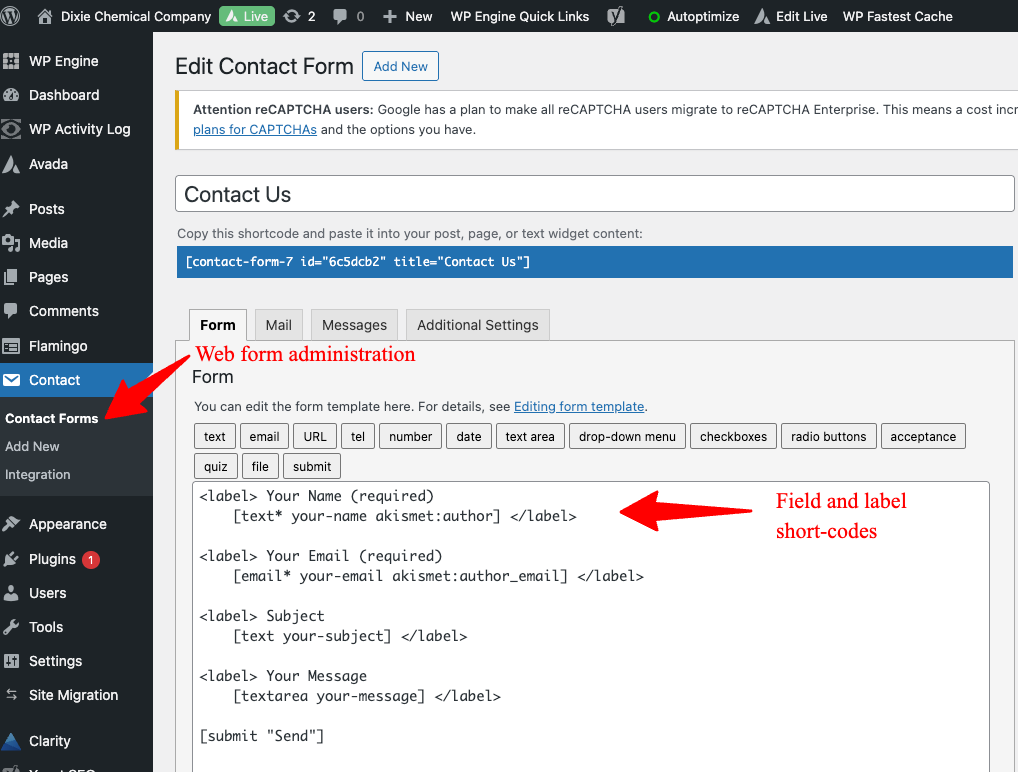
Contact Form 7 admin interface
Flamingo Overview
Section titled “Flamingo Overview”What is Flamingo?
Section titled “What is Flamingo?”Flamingo is a companion plugin to Contact Form 7 that captures and stores form submissions in the WordPress database. This allows you to view submission history directly in the WordPress admin area.
Key Features
Section titled “Key Features”- Message Storage: Saves all form submissions
- Inbox Interface: View submissions in an email-like inbox
- Search Capability: Find specific submissions
- Export Option: Export submissions to CSV
Where to Find Submissions
Section titled “Where to Find Submissions”- In the WordPress admin area, look for “Flamingo” in the left sidebar
- Click “Inbound Messages” to view form submissions
- Messages are organized by date with the newest at the top
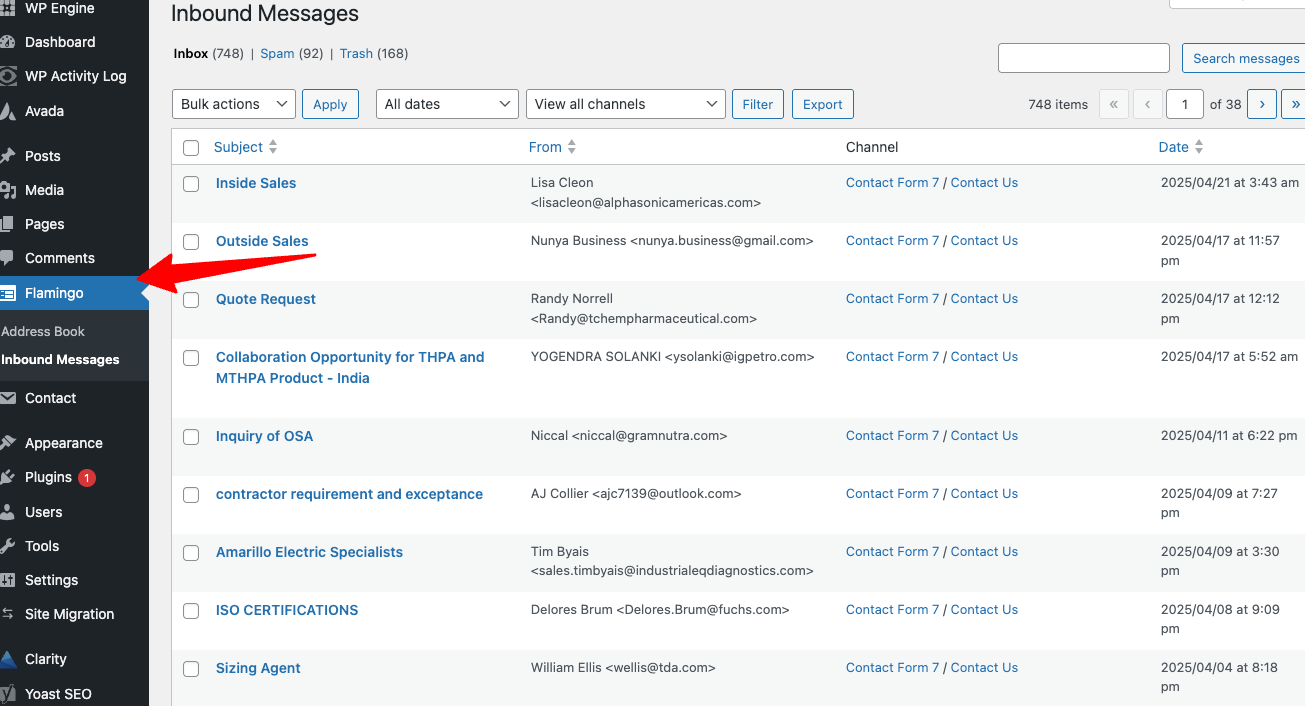
Flamingo inbox showing form submissions
Relationship Between Contact Form 7 and Flamingo
Section titled “Relationship Between Contact Form 7 and Flamingo”- Contact Form 7: Creates and displays the forms on your website
- Flamingo: Stores the submissions from those forms
- Both plugins work together to provide a complete form management system
Future Training Topics
Section titled “Future Training Topics”In the follow-up training session, you’ll learn:
- How to create and modify forms
- How to manage form fields and validation
- How to access and respond to form submissions
- How to export submission data
- Best practices for form management
Next Steps: Now that you have an overview of the form functionality, check out the Quick Reference Guide for a handy summary of all the key tasks covered in this training.